SASSA Status Check for SRD R370 (R350) Online
Start your SASSA status check for SRD R370 below. Find your monthly result, then see what approved, pending or declined means, when a payday may appear and what to do next. The grant was previously known as R350.
Opens srd.sassa.gov.za to check your application securely.
How to Check Your SASSA SRD R370 Status Online
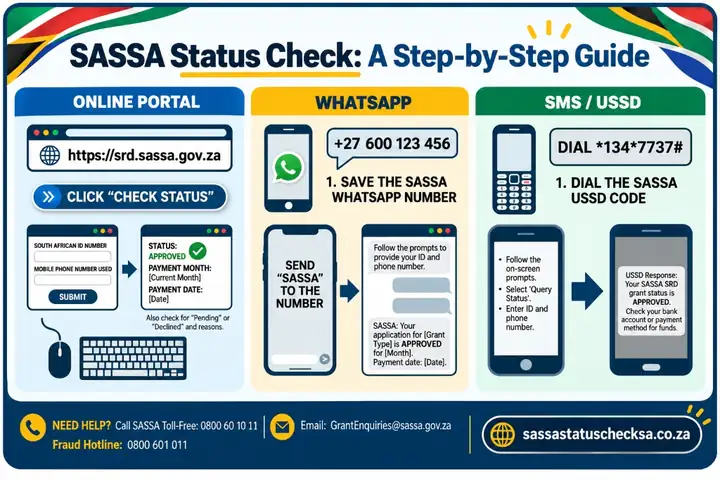
A SASSA status check for SRD R370 involves three main steps: open the official status service, enter the details linked to your application, and review the result for your selected month.
Step-by-Step SRD Status Check
-
Open the official page
Select SASSA’s SRD status service. Check that the address begins with https://srd.sassa.gov.za/ before entering personal information.
-
Enter your details there
For South African ID holders, follow the prompts for your 13-digit ID number and the cellphone number used for your application. Complete these steps on srd.sassa.gov.za.
-
Read the result for your month
Follow the on-screen instructions to view your status. Look at the month shown and whether it is approved, pending or declined. If a payment date is provided, check it for that month.
Where to Enter Your ID and Registered Cellphone Number
To complete a SASSA 370 status check online, use the cellphone number linked to your SRD application and enter the required details on SASSA’s official website. South African ID holders should follow the ID-number route; asylum seekers and special permit holders should select the relevant applicant category from the SRD homepage.
SRD R350 and R370 Status Meanings Explained
An SRD R350 status check and an SRD R370 check concern the same grant under its older and current names. What matters is the result SASSA shows for each month: completing an application is not the same as being approved for every monthly payment.
Approved, Pending and Declined
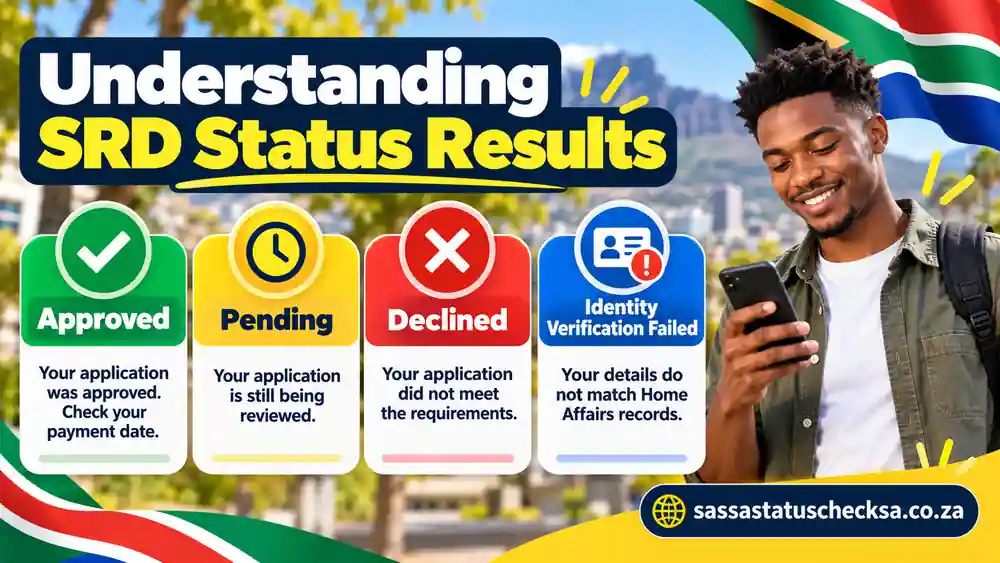
An SRD R350 status check can show whether your application was approved for the month you selected. Find that month in your result, then use the table below to interpret approved, pending, declined and other messages and choose an appropriate next step.
On a small screen, swipe the table sideways to see all three columns.
| Status | What it means | What to do next |
|---|---|---|
| Period approved | Your application was approved for the particular month shown. | Check the pay day field for that month. If no date appears, SASSA’s published guidance says payment has not yet been processed. |
| Period pending | SASSA has received the application, but verification for that month is not complete. | Check the same month again later on the official portal. Pending does not automatically mean declined. |
| Period declined | The application was declined for that month, with a reason shown. | Read the specific reason. If you disagree, use SASSA’s current official appeal information; an appeal is a separate process. |
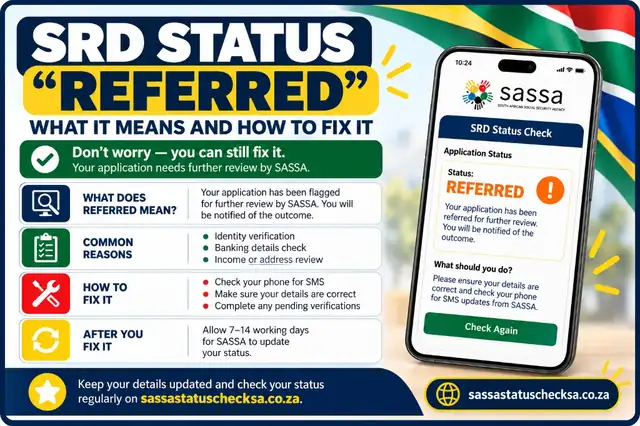
| Period referred | The application has been flagged for further review or verification. It is not an automatic final rejection. | Check the official SRD portal for the specific identity-verification or biometric steps required for your application. If needed, contact SASSA for assistance. |
| Identity verification failed (if shown) | Some applicant details could not be confirmed against identity records, or an additional identity check is needed. This can be a decline reason or verification message, not a payment confirmation. | Check that your details match Home Affairs records and follow the verification instructions for your application. If the month is declined and you disagree, use the appeal route for that month. |
| Application complete | The application or reapplication was received and is subject to monthly checks. | Look for the result of the actual month you want to check; this message alone does not promise payment. |
| Bank details pending | SASSA’s published definitions indicate that banking details or a payment preference have not been received. | Use the official SRD website to review the payment-details options available to you. Do not give banking details to third-party forms. |
| Reapplication pending | In SASSA’s older status guide, this meant a reapplication had not been received. | If this exact message appears, consult the official SRD site for the current application or reapplication steps. |
| Canceled | SASSA’s older status guide described this as a cancelled SRD grant. | Use the official SRD website to check the current reinstatement options, if available. Do not assume payments will restart automatically. |
Bank Details Pending and Other Messages
“Bank details pending” means payment information may need attention; it does not indicate that money has been sent. Identity-verification messages require a different response, explained in the troubleshooting section below.
Application Complete
An application complete message generally indicates that the application information has been submitted or recorded. It should not be confused with approval for payment. Applicants should continue checking the relevant month’s decision because eligibility and payment status are assessed separately.
Referred Status
A referred status indicates that an application needs additional attention or verification. The applicant should not automatically interpret this as a final rejection. The appropriate next step is to follow SASSA’s instructions for the affected application, which may involve identity verification or contacting SASSA for assistance. SASSA’s current guidance directs applicants with a referred status to the SRD portal for the required identity-verification process.
Bank Details Pending
Bank details pending means that payment-related information may still be required or needs attention. Applicants should review the instructions provided through the official SRD service and ensure that their payment information is correct. This status does not establish a particular payment date. For help updating an account or resolving verification problems, see our SASSA change banking details guide.
Cancelled Application
A cancelled application is different from a declined monthly result. Applicants should first establish whether the application was cancelled by request, because of a verification concern or for another recorded reason. The available next steps depend on the circumstances, and SASSA should be consulted where a cancellation appears unexpected.
Identity Verification Failed
An identity verification failed message indicates that submitted or recorded identity information could not be successfully matched or authenticated. Applicants should check for errors and follow the identity-verification instructions available through SASSA’s official channels. Repeatedly submitting different personal information without understanding the problem may make the situation harder to resolve.
R350 and R370 labels: Some published status descriptions use the earlier R350 name. The current SRD grant amount is R370; always read the message alongside its specific month.
SASSA Status Check Payday: Find Your SRD R370 Payment Date
When you complete a SASSA status check for SRD R370, the official service may show a payment date for an approved month, but there is no single payday shared by everyone. SASSA assesses SRD eligibility by month. Check the month, decision and any date shown together. An approved result alone does not confirm that money has reached you.
Where to Find the Payday Field
To check your R370 payment date, open the official SRD status service and find the result for the month you want to review. If that month shows approved, look for a payday or payment-date field, if one is displayed. Read that date alongside the same month—not the date or approval shown for another month.
Approval applies to the month displayed; the result for a later month may differ.
If a payday is shown, read it alongside the approved month. If the field is blank, check that month again later and review any instructions displayed.
For an R370 payment date, use the payday shown with your own monthly result rather than a date shared on social media or a general grant calendar.
Is the R370 SRD Payday the Same for Everyone?
No. SASSA has explained that SRD does not have a single fixed payday for all beneficiaries and is checked against qualifying conditions each month. Dates for the Older Persons, Disability and Children’s grants are a different payment schedule; they cannot tell you when an individual SRD R370 payment will arrive.
Your month determines your payday. If no date appears for the month you checked, review the status again later rather than relying on someone else’s payment date.
Approved SRD Status but No Payday or Payment?
An approved SRD status refers to the month shown in your results. It is not, by itself, confirmation that payment has been processed or received. The next step depends on whether the official service displays a payday for that same month.
Approved Without a Payment Date
If your SASSA status check for SRD R370 shows approval but no payday, review that month’s result for banking, payment, or identity-verification instructions before taking further action.
- Confirm the month. Make sure you are reading the latest relevant monthly result rather than an earlier approval.
- Check for a payment or banking message. If SASSA asks you to provide or confirm payment details, use the official SRD website, following the options it actually offers. Your banking information must belong to you for verification.
- Review identity-verification instructions. If verification is requested, use the process indicated by SASSA and keep OTPs, ID images and banking details private.
- Check the month again. A payday may appear after processing; the time taken can vary between applications.
Payment Date Shown but Funds Not Received
If the official page already shows a payday but you cannot see the payment, double-check that you are looking at the correct approved month and date. Then check the bank account or approved payment arrangement you actually use, through its normal official channels.
SASSA has warned that bank details which cannot be verified as belonging to the applicant can prevent payment. That is one possible issue, not an explanation for every delay. If the portal gives a specific verification or payment instruction, follow that instruction through SASSA rather than guessing at the cause or repeatedly changing your banking details.
Need official help?
If the payment date has passed and the issue remains unclear, call SASSA on 0800 60 10 11 and have the relevant month and status message ready.
Why Your SRD Status Is Pending or Declined
When your SASSA status check for SRD R370 shows pending or declined, look at the month and reason displayed by SASSA before deciding what to do. Pending means a monthly decision is still being checked; declined means SASSA has made a negative decision for that month. These results need different responses.
SASSA is still completing checks for the selected month. Review the same month again later.
A declined month has a stated reason. Check it on the government service and use the official appeal route if you believe that decision is wrong.
What Pending Means
A pending result does not establish that your application has failed or that payment is on its way. It means SASSA has not completed the relevant month’s checks. The status of a previous month cannot tell you how the current month will turn out.
Check the same month again later. If your result requests identity verification or a personal-details update, follow the instructions for that specific issue instead of waiting for the status to change on its own.
What a Declined Result Means
A declined result applies to the month shown. SASSA says a decision may be affected by information checked against other databases, including financial institutions, and by differences in the applicant’s registered personal details. That does not mean every declined applicant has another source of income or submitted incorrect information. Read the actual reason on your own result rather than choosing a reason from a list on another website.
If the reason appears wrong, you may challenge the decision through the Department of Social Development (DSD) SRD appeal process. This is different from refreshing the status page and different from the appeals process for other permanent social grants.
When to Read the Appeal Guide
Consider the official appeal route after you have found a declined month, read the reason and decided you disagree with it. The SRD service advises that a separate appeal is needed for each month declined; appealing one month does not automatically challenge every other month. For filing steps, deadlines and checking an outcome, read our SASSA appeal guide.
- Identify the month
Use the government status result to confirm the particular month and the decision attached to it.
- Read the stated reason
Identify which details or evidence make you believe the decision is incorrect.
- Use the official appeal service
Start at SASSA’s SRD website and follow its DSD appeal route, or visit the DSD’s SRD appeal portal.
Appeal timing: Check the current deadline and required steps when starting an appeal. Decisions are assessed through the DSD appeals process.
SASSA Status Check Not Working? Common Problems
If your SASSA status check for SRD R370 does not load or show the result you expect, first distinguish a website or account-access problem from a genuine pending or declined decision. A blank page, incorrect contact details and an official verification request are different situations and should not be treated as the same error.
Website Not Loading or No Result Found
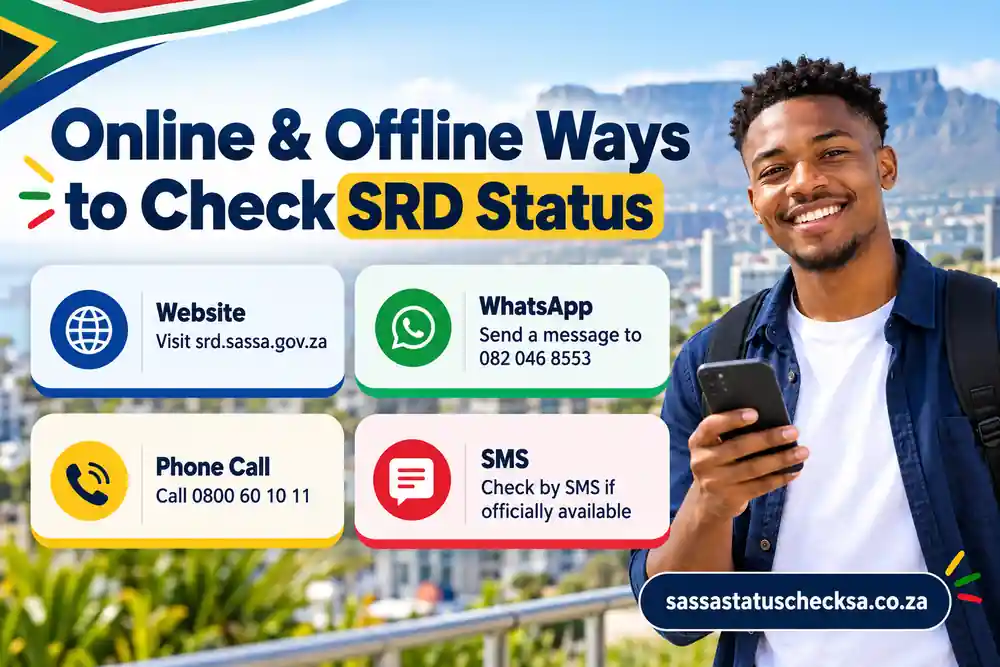
For the official srd.sassa.gov.za status check, confirm the government domain before entering personal information. If the direct status page does not open, try the official SRD homepage and follow its available status-check option. If the page is temporarily unavailable, retry later or check your connection. A loading error does not mean your application was declined.
Check your internet connection, confirm the SRD website address and retry using the SRD homepage if needed.
Confirm the applicant category, ID or permit details and registered cellphone number. If the result still cannot be found, contact SASSA.
ID or Cellphone Details Do Not Match
For South African ID holders, SASSA’s official process uses the applicant’s ID details and the cellphone number associated with the application. SASSA has emphasised the importance of accurate contact information because that number is used for status notifications and verification requests. If your phone number has changed or you cannot access it, follow SASSA’s current contact-detail update process.
Applicants using an asylum seeker or special permit route should start at the official SRD homepage and select the appropriate category. Do not use an ID-holder instruction if it does not apply to your application.
Recognising Genuine Verification Requests
An identity verification message is not the same as an ordinary pending decision. SASSA may ask certain applicants to verify their identity when details do not match or possible fraud is flagged. In its January 2026 guidance, SASSA said beneficiaries who lack the data or devices needed for biometric verification can seek assistance at a SASSA local office.
Verification safety: Check unexpected requests using srd.sassa.gov.za or a SASSA office. Keep OTPs, ID images, facial-verification images and banking details private.
Other Ways to Get Help with Your SRD Status
If your status page will not open or a monthly result needs clarification, choose the contact method that suits your situation. Use the SRD status service to see the decision and payment date, when one is available, for a particular month.
On a small screen, swipe the table sideways to see all three columns.
| Method | Contact | Best use |
|---|---|---|
| Phone call | 0800 60 10 11 | Speak with SASSA about an unclear result, a missing payday or an access problem. Have the relevant month and status message ready. |
| 082 046 8553 | Send a grant-related enquiry and follow the available prompts. WhatsApp needs mobile data or Wi-Fi, so it is not an offline service. | |
| [email protected] | Send a non-urgent written enquiry. State the month and problem clearly; do not email OTPs or banking passwords. | |
| USSD code | *134*7737# | Access basic mobile prompts without internet data. Government guidance has previously listed *134*7737#, but supported menus and network availability may vary. |
| SMS notifications | SMS to registered number | Receive automated outcome alerts sent by SASSA. Note that receiving an SMS alert is different from initiating a query; SASSA does not offer a two-way SMS lookup number. |
| Local SASSA office | Visit a SASSA service office | Ask for in-person assistance when online access or identity verification cannot be resolved remotely. Bring your identification document. An office visit should not be described as a guaranteed replacement for the online SRD application process. |
Moya App and Other Mobile Services
Some South Africans search for ways to access SRD information through the Moya app or other mobile applications. These services should be distinguished from the government-operated SRD portal. An app that provides links or access to public information does not automatically become an official SASSA status-checking service.
Before sharing personal details through an app, applicants should check who operates it and whether it directs them to a genuine SASSA website. The safest approach is to use the published government portal for sensitive application information.
Can You Check SRD Status Through Facebook or Email?
SASSA-related social media pages and published email addresses may help people find announcements, general information or appropriate contact channels. They should not be treated as public spaces for submitting identity numbers, banking information or one-time passwords.
Applicants should avoid posting personal application details in Facebook comments, public groups or messages to accounts they cannot authenticate. For an individual status result, use the government portal or request assistance through a recognised SASSA contact channel.
Need to Apply, Appeal or Change Your SRD Details?
After checking your result, your next action depends on what you actually need: submit an SRD application, challenge a declined month, or update payment or contact details. Each task has its own process and destination, shown below.
SRD R370 Eligibility at a Glance
The R370 SRD grant is temporary social assistance, not a loan. SASSA assesses eligibility each month, so meeting the conditions when you apply does not guarantee every later month’s payment.
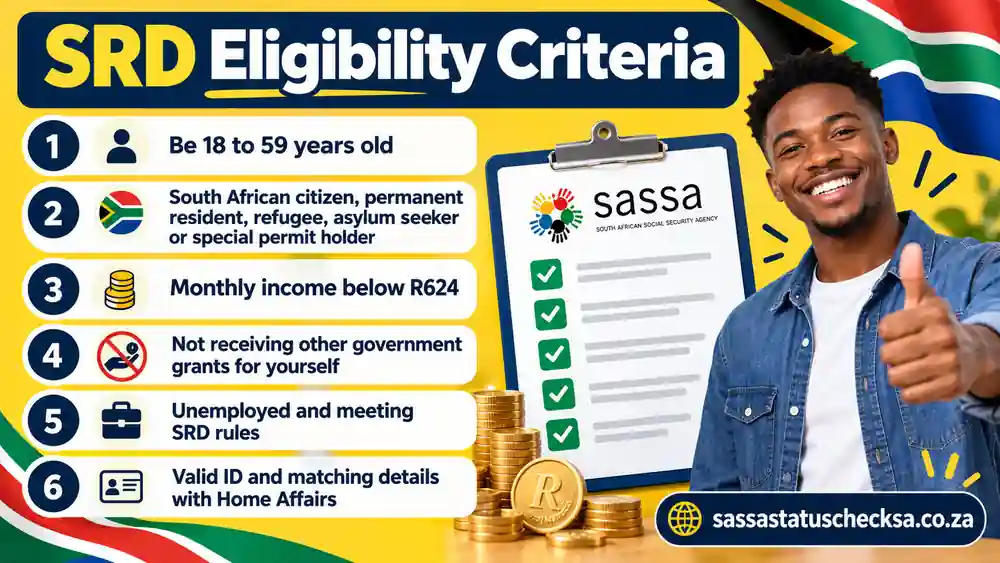
- Age: Generally 18 to 59 years old.
- Residence and status: Living in South Africa as a citizen, permanent resident, refugee, qualifying asylum seeker or eligible special-permit holder.
- Means test: Insufficient financial means; the published SRD income threshold is R624 a month, subject to the rules in force when assessed.
- Other support: Not receiving another adult social grant for yourself or benefits you qualify for through UIF; NSFAS stipends and certain other support also affect eligibility.
- Living arrangements: Not residing in a government-funded or subsidised institution.
- Verification: Provide accurate personal, contact and financial information so SASSA can carry out its monthly checks.
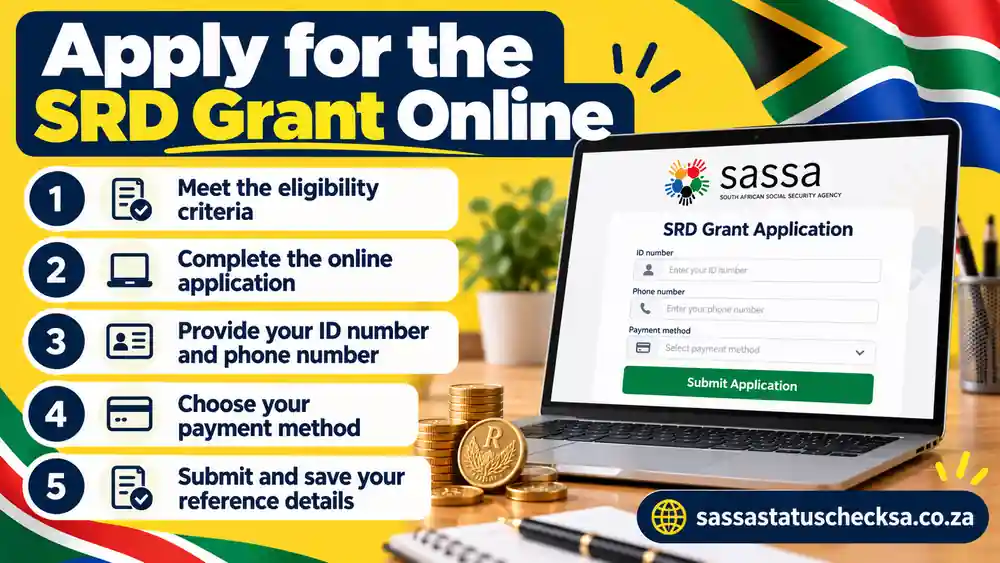
Apply through the electronic SRD service: select your applicant category, read and accept the declaration and consent, and provide the personal, cellphone and banking information requested. SASSA says application documents do not need to be uploaded. You do not need to download a separate paper form to start the online application.
What to Know Before Applying for SRD R370
Before starting an SRD application, applicants should understand that approval depends on the rules applicable to their circumstances and the information considered during verification. Factors can include age, residency or permit status, financial means, other social assistance and identity records.
Applicants should provide accurate information using the government application service. Their registered cellphone number is particularly important because it may be needed for updates or verification.
Applying for assistance and checking an existing application’s status are separate tasks. Visitors who have already submitted an application should generally use the status-check service rather than starting another application without understanding the reason. The detailed eligibility rules, application process, required information and correction procedures are covered in our SRD online application guide.
Apply for the SRD R370 Grant
Start at SASSA’s official SRD website, choose the applicant category that applies to you and follow the current application instructions. Eligibility is assessed under the rules in force when you apply.
Appeal a Declined SRD Month
Check the month and reason for your declined result, then use the official Department of Social Development appeal process. SASSA’s SRD guidance indicates that appeals are made for the individual months declined. Check the current deadline on the government service.
Open DSD appeal service ↗Change Banking or Contact Details Safely
Use SASSA’s official SRD website to find the current banking-details instructions. If the registered cellphone number is no longer yours, contact SASSA using its published channels for the appropriate update route.
Find official SRD options ↗SASSA Payment Dates for Other Social Grants in 2026/27
A payday shown during a SASSA status check for SRD R370 belongs to an individual monthly result; it is not the same as SASSA’s published payment calendar for permanent grants. Older Persons, Disability and Children’s grants use a published calendar, while SRD payments depend on the applicant’s monthly outcome and payment processing.
How Regular Grant Dates Differ from SRD Paydays
For regular social grants, SASSA publishes planned dates by grant category. An SRD applicant should instead look at the relevant approved month on the official SRD status service to see whether a personal payday has been allocated. A date shown for the Older Persons Grant does not confirm that an SRD R370 payment is due on that same day.
Two different checks: For SRD, check the month attached to your application. For regular grants, use the payment calendar for the relevant category.
Latest Verified Payment Schedule Update
SASSA revised its November 2026 regular-grant schedule in an announcement dated 15 October 2026. The following are the revised dates, which replace the November dates in the earlier annual calendar.
On a small screen, swipe this table sideways to read all columns.
| Regular grant category | Revised payment date | Applies to |
|---|---|---|
| Older Persons Grant | Friday, 30 October 2026 | Regular Older Persons payments |
| Disability Grant | Monday, 2 November 2026 | Regular Disability payments |
| Children’s Grants | Tuesday, 3 November 2026 | Regular children’s grant payments |
Special review cases: SASSA also set aside Thursday, 5 November 2026 for beneficiaries whose grants fall within its review process. This is not a general fourth payment day, and none of these dates is a promise of an SRD R370 payday.
The calendar can change again. Before travelling or relying on a particular date, check the full official 2026/27 schedule together with any newer announcements from SASSA. The complete annual table is separate from the individual SRD status-check task. For the full 2026/27 calendar, including the revised November dates, see our SASSA payment dates guide.
Other SASSA Grants and Helpful Guides
The South African Social Security Agency (SASSA) administers social grants on behalf of the Department of Social Development. A SASSA grant status check can concern different types of assistance, so it is important to identify the grant involved. An SRD R370 result does not determine eligibility or payment dates for Older Persons, Disability, Child Support or other grants. The summaries below explain the main differences.
Older Persons Grant
For qualifying people aged 60 or older, subject to SASSA’s eligibility and means-test rules. This is a different grant from SRD R370 and follows the regular social-grant payment calendar. Our SASSA Older Persons Grant guide details 2026 payment amounts, means-test limits and how to apply.
Child Support Grant
For qualifying primary caregivers of children under 18. The caregiver, child and household circumstances matter. It should not be confused with foster care or the Care Dependency Grant.
Care Dependency Grant
Supports qualifying caregivers looking after a child under 18 with a severe disability requiring special, full-time care. SASSA requires an appropriate medical assessment; this is not the ordinary Child Support Grant. Families caring for a child with a severe disability who needs full-time special care can read our SASSA Care Dependency Grant guide for the eligibility rules, medical assessment and application process.
Foster Child Grant
For a foster parent caring for a child who has been legally placed in their care by a court. A foster-care order is central to this grant; it has a different basis from the Child Support Grant. Our Foster Child Grant guide details court-order foster care support, eligibility, grant amounts and how to apply.
Disability Grant
The Disability Grant provides qualifying financial assistance to people whose disability affects their ability to support themselves through work, subject to the applicable assessment and eligibility requirements. It is different from the temporary SRD grant, and applicants should use the appropriate SASSA process for the grant they intend to claim.
War Veterans Grant
The War Veterans Grant is a separate social assistance category for qualifying veterans who meet the relevant legal and financial requirements. It should not be confused with a general veterans’ benefit or with the SRD R370 grant. Eligibility is restricted by the specific service-history and other requirements of this grant.
Grant-in-Aid
An additional benefit for qualifying people already receiving an Older Persons, Disability or War Veterans Grant who need regular help with daily care. Grant-in-Aid cannot be claimed on its own.
SASSA Grant Amounts in 2026/27
These monthly grant amounts reflect the 2026/27 increases, including the October 2026 Foster Child Grant increase. They describe the grant value, not a guaranteed payment or approval for any person.
| Grant or grant group | Monthly amount |
|---|---|
| SRD grant | R370 |
| Older Persons (60–74), Disability and Care Dependency | R2,400 |
| Older Persons (75+) and War Veterans | R2,420 |
| Foster Child Grant | R1,300 |
| Child Support Grant and Grant-in-Aid | R580 |
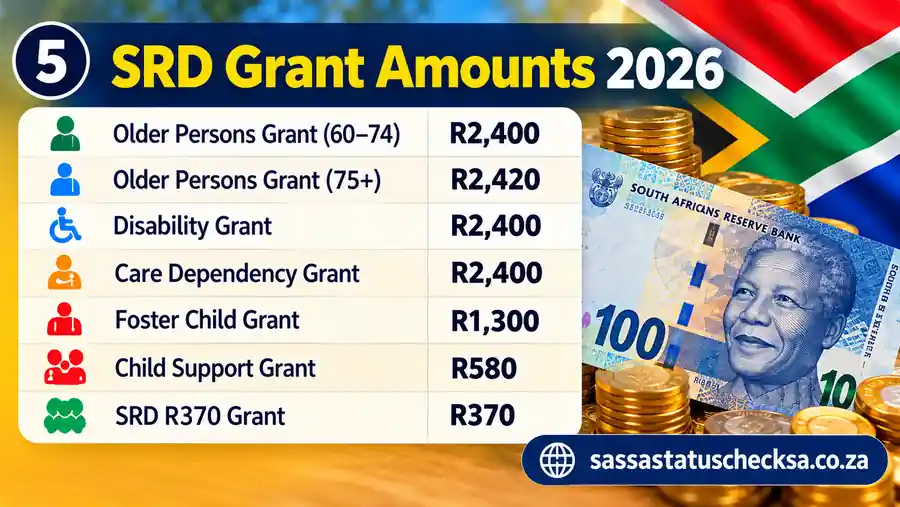
Rates checked: October 2026. The Foster Child Grant increased from R1,290 to R1,300 in October 2026. Individual SRD payments remain subject to monthly eligibility and processing.
Understanding SASSA Loans
People sometimes search for SASSA loans when they need additional money beyond their monthly grant. However, SASSA grants and loans from banks or other lenders are different financial products. SASSA does not itself provide personal loans simply because someone receives a social grant.
Beneficiaries should carefully consider repayment conditions, fees and the legitimacy of a lender before accepting a credit offer. A promise of a special government-backed SASSA loan should not be accepted without evidence from an authoritative source.
Explore other grants: See eligibility requirements, application steps and the Disability Grant in SASSA’s grant directory.
Frequently Asked Questions About SRD Status Checks
Find quick answers about monthly decisions, R350 and R370 terminology, paydays, appeals and account details.
Where can I complete a SASSA status check for SRD R370?
Select Check SRD Status above to open the SASSA status service. Follow the prompts, then choose the month whose decision you want to see.
Can I still search for an SRD R350 status check in 2026?
Yes. R350 is the earlier grant amount and remains a familiar search term. The programme’s monthly amount is R370 in 2026; the status of a particular application month must still be checked on the official service.
Can one SRD month be approved while another is pending or declined?
Yes. SRD decisions are assessed by month. Check the month attached to each result rather than assuming that one month’s decision applies to every month. See the status meanings table for the next step associated with each message.
Does an approved SRD status mean the payment has already arrived?
No. An approved result indicates the decision for that month, not proof that funds have been transferred. Look for the personal payday field, if SASSA has assigned one. If payment is still missing, follow the approved-but-unpaid steps.
Are SRD R370 paydays the same as Older Persons or Children’s Grant dates?
No. Regular social grants use a published category calendar. SRD R370 paydays are individual and depend on the monthly result and payment process. The separate dates explained above are not automatic SRD payment dates.
What if I no longer have access to my registered cellphone number?
The registered number is used for application and verification steps. Follow SASSA’s contact-detail update options, or call its published helpline if you cannot access the number.
Can I appeal a declined SRD month?
If you disagree with a declined monthly decision, use the official Department of Social Development SRD appeals service and check its current rules and deadlines. An appeal for one month does not automatically change decisions for other months.
What does an identity-verification request mean?
SASSA may request identity verification when application details need checking. Follow the instructions linked to your result and confirm the request through SASSA’s service or a local office. This is a separate issue from an ordinary pending monthly decision.
Is the SRD R370 grant still available in 2026 and 2027?
Yes. Government funding extended the R370 SRD grant through 31 March 2027. The extension does not guarantee a payment for every month: SASSA still assesses eligibility and the payment outcome for each applicant.
Can I qualify for SRD if I work or receive student funding?
Eligibility depends on the SRD rules and your circumstances, not on a simple yes-or-no answer about work or study. SASSA asks for employment and financial information and checks other support, including UIF-related eligibility. Student funding can also affect eligibility. Check your own monthly decision and the current requirements rather than assuming that a small income or a scholarship guarantees approval.
Can I Check My SRD Status Without Mobile Data?
Some applicants use SASSA’s telephone or other published assistance channels when they cannot access the website. The available service depends on the channel and the type of enquiry. If you need to see the detailed monthly decision, the government SRD portal remains the principal place to check.
Can Students Apply for the SRD R370 Grant?
Student status by itself does not establish whether someone qualifies. SASSA considers the applicable eligibility requirements, which can include income, financial assistance and other relevant circumstances. Students should check the current SRD rules rather than assuming that all students either qualify or are excluded.
Can Someone Who Works Apply for SRD?
Eligibility is not determined by a single informal description such as employed or unemployed. The assessment considers the rules and financial information applicable to the individual. Someone with earnings should review the current means-test requirements and provide accurate information rather than assuming a particular result.
What Should I Do if My SRD Application Was Cancelled?
First establish the reason for cancellation. If the application was cancelled unexpectedly or because of a suspected identity problem, contact SASSA or follow the appropriate official portal instructions. A cancelled application should not automatically be treated as an ordinary declined monthly result.
Can I Check My SASSA Status Through the Moya App?
Some third-party applications provide access to public information or links to government services. They are not necessarily operated by SASSA. Applicants should avoid entering sensitive information into an unverified application and use the official SRD portal when checking individual application details.
Does SASSA Offer Loans to Grant Beneficiaries?
SASSA administers social assistance grants rather than ordinary personal loans. A lender offering credit to grant recipients is a separate organisation. Applicants should examine lending terms carefully and avoid offers that falsely suggest guaranteed SASSA approval.
Ready to check your own SRD result?
Open the status service, choose the month you need and review your outcome. Use the steps above to understand what to do next.